이것이 인스타그램이 당신의 사진을 'AI로 제작됨'으로 표시하는 이유입니다.
0 0 4 2024-06-26

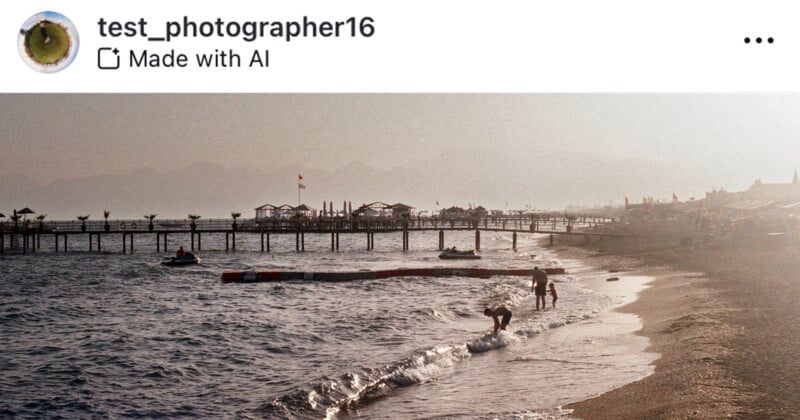
A beach scene with gentle waves washing onto the shore. People are walking along the sandy beach and playing near the water. A wooden pier extends into the sea with people standing on it. The sky is hazy, and distant mountains are faintly visible.

Instagram flagged my image as ‘Made With AI.’ It’s not.


최근에 인스타그램은 AI 생성 이미지를 플랫폼에서 표시하는 "Made with AI" 태그를 도입했지만, AI로 생성되지 않은 사진을 태그하면서 사진작가들을 화나게 하고 있습니다.


인스타그램은 AI 콘텐츠를 탐지하는 방법에 대해 거의 공개하지 않았으며 단지 "산업 표준 지표"를 사용한다고만 밝혔습니다. 이를 염두에 두고, PetaPixel은 인스타그램 게시물에 "Made with AI" 스티커가 붙는 특정 방법을 모두 조사해 보았습니다.

어떤 포토샵 도구가 인스타그램에서 ‘Made With AI’ 라벨을 트리거합니까?

Generative Fill

사진작가들이 가장 불만을 갖는 부분 중 하나는 포토샵에서 AI 기반 도구를 사용하여 이미지에 약간의 조정을 하면 게시물에 "Made with AI" 라벨이 붙는다는 점입니다.
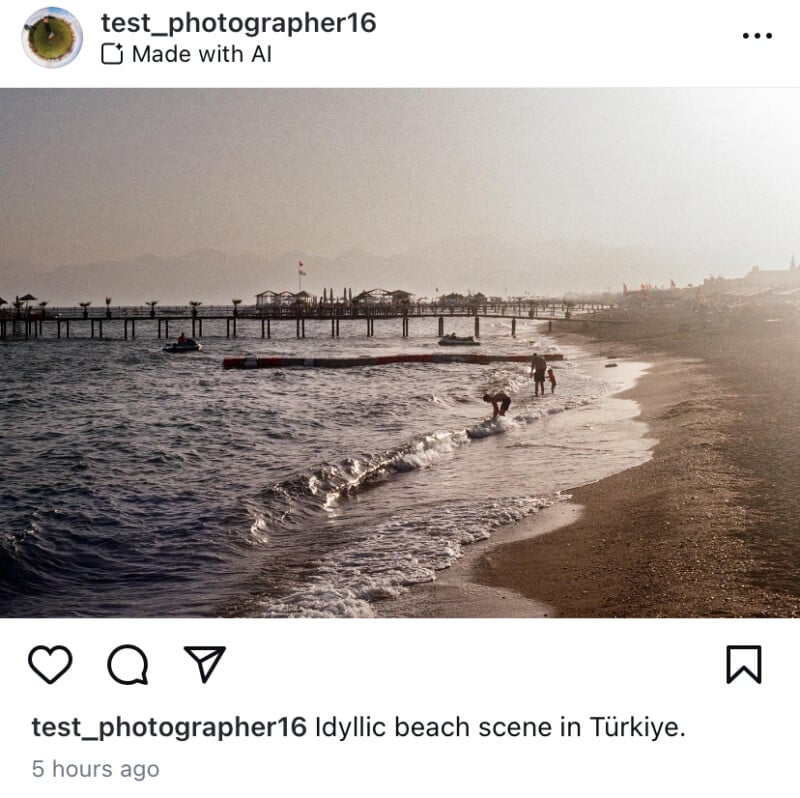
A serene beach scene in Türkiye, with gentle waves lapping against the shore and a few people enjoying the water. A long pier extends into the sea, and the horizon is misty with the sun casting a soft golden glow over the landscape.

My 35mm analog photo with “Made with AI” slapped on it because I removed a tiny imperfection on the upper right-hand side.


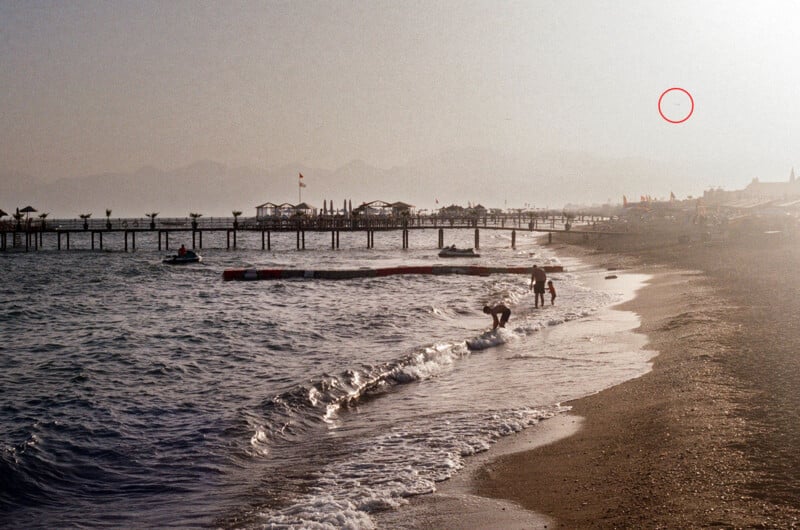
A sandy beach with gentle waves, people walking near the shore, and a wooden pier extending into the sea. Sun is setting, creating a hazy, warm light. In the background, mountains are faintly visible through the mist, and a red circle is marked in the sky.

The original photo with the speck highlighted.


포토샵에서 Adobe의 Generative Fill 도구를 사용하여 먼지 얼룩을 제거할 때마다 인스타그램에 업로드하면 "Made with AI" 태그가 사진에 붙습니다. 이는 동일한 결과를 Spot Healing Brush Tools나 Content-Aware Fill을 사용하여 얻을 수 있었음에도 불구하고 발생합니다.


물론, Generative Fill을 사용하여 큰 변화를 만들 수도 있으며, 아래 이미지는 참고 이미지 기능을 사용하여 Generative Fill을 유도하는 참조 사진을 업로드하고 얻은 결과입니다. 이 역시 마커를 트리거합니다.
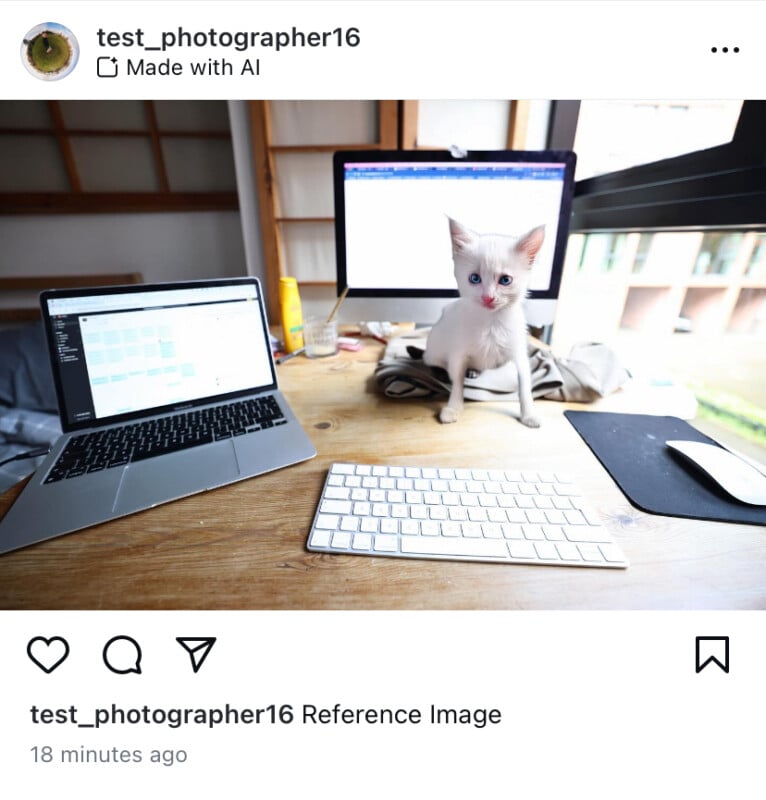
A small white kitten sits on a wooden desk in front of two open laptops. One laptop is displaying a coding interface. A keyboard and a mouse are also on the desk. There is a window in the background. The Instagram username is test_photographer16.

I swapped my dog out for a kitten using the Reference Image feature.

Generative Expand

Generative Expand는 이미지를 자를 때 옵션으로 나타나는 도구로, Generative Fill과 같은 AI 기술로 구동되기 때문에 이 도구를 사용해도 "Made with AI" 라벨이 나타나는 것은 놀라운 일이 아닙니다.
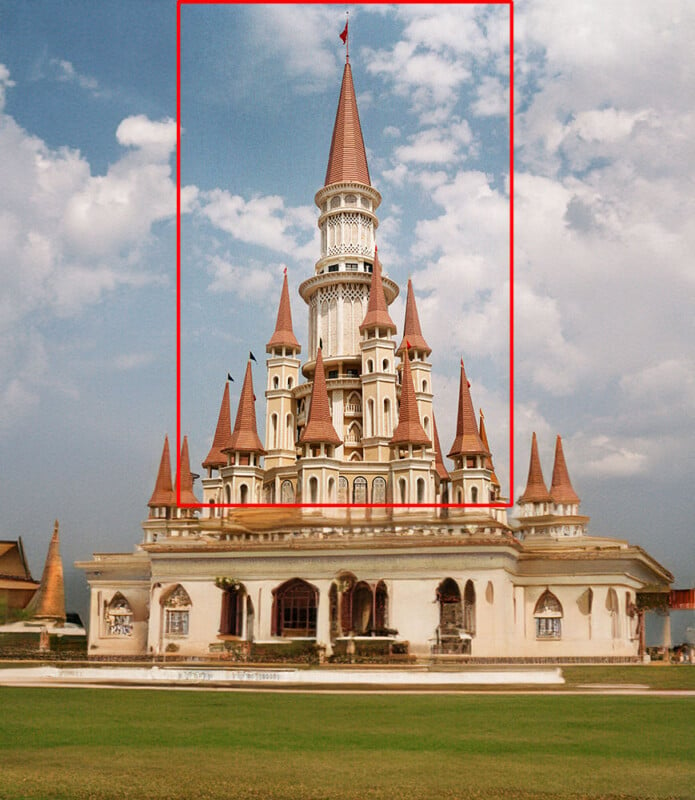
A grand Thai temple with an ornate central spire and four surrounding smaller spires, set against a backdrop of blue sky and clouds. The temple is richly decorated and surrounded by lush green lawns and additional traditional structures.

The original photo is highlighted in red. The rest was expanded using the crop tool and then filled in using the AI-powered Generative Expand tool.

Adobe Lightroom 및 Photoshop의 주목할 만한 예외

Generative Remove Tool

Adobe Lightroom 및 Adobe Camera Raw (ACR)에는 새로운 Generative Remove 도구가 있으며, 이를 사용해도 인스타그램의 "Made with AI" 라벨이 나타나지 않습니다.
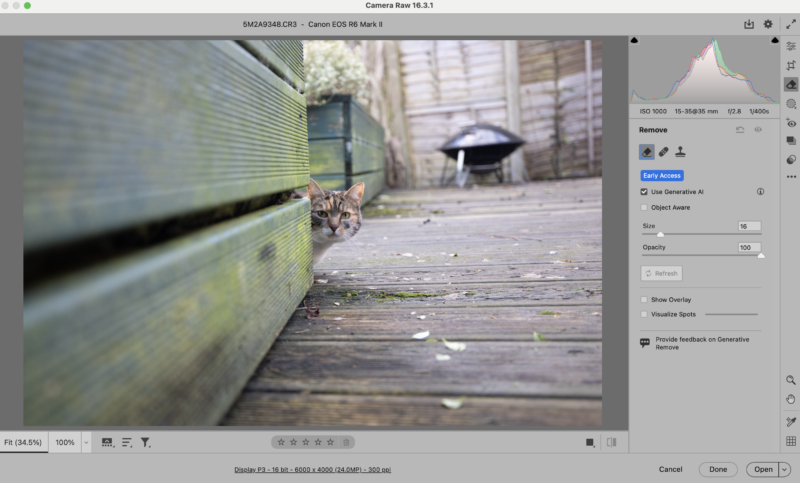
A curious cat peeks from behind a wooden fence on a weathered deck. The image is edited in Camera Raw with various adjustment sliders and editing tools visible on the right side of the screen. A barbecue grill is blurred in the background.

Using the Generative AI-powered Remove tool in ACR to clean up the leaves in front of the cat.


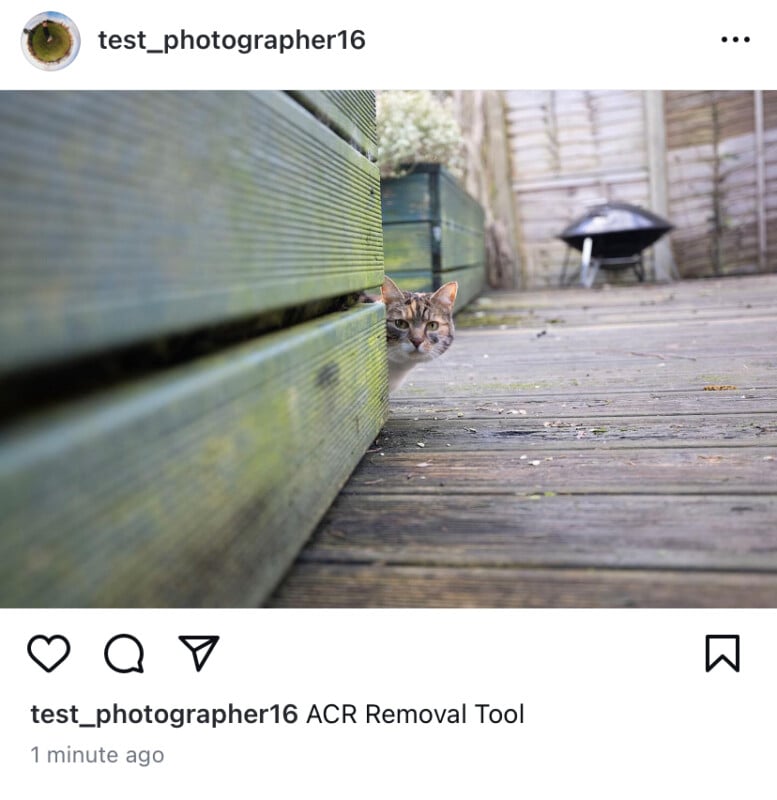
A cat with white, brown, and black fur peeks around the corner of a wooden structure on a weathered deck. The background shows a barbecue grill and a wooden fence. The Instagram username "test_photographer16" is displayed at the top.

The photo, which was edited using generative AI, does not receive the AI label when uploaded it to Instagram.


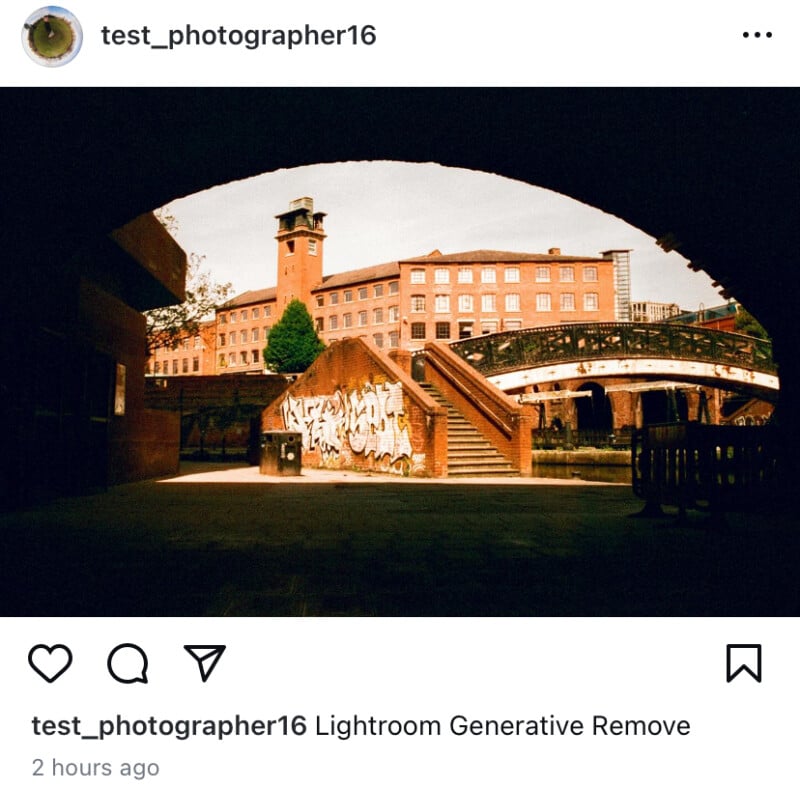
View of a brick building and a clock tower across a canal, framed by a dark archway. A red bridge spans the canal, and graffiti is visible on a brick wall. Photo caption reads, "test_photographer16 Lightroom Generative Remove.

A lamppost was removed from this photo using Lightroom’s Generative Remove tool but it did not trigger the AI label.


Generative Remove는 Adobe Lightroom 및 Photoshop(Adobe Camera Raw를 통해)에서 새로 출시된 가장 인상적인 AI 기반 기능 중 하나입니다. 현재 초기 접속(베타) 상태인 Generative Remove는 Adobe Firefly 기술을 사용하여 브러시로 칠한 물체를 이미지에서 제거하고 남은 이미지와 일치하는 새로운 픽셀로 대체합니다.


결과가 Spot Healing 도구와 크게 다르지는 않지만, 초기 테스트에 따르면 Generative Remove는 훨씬 더 신뢰할 수 있고 정교합니다.


Generative AI 기술을 사용함에도 불구하고, Generative Remove를 사용하여 편집된 이미지는 인스타그램에서 "Made with AI"로 표시되지 않습니다. 왜 그럴까요?


PetaPixel은 이에 대해 의견을 듣기 위해 Adobe에 연락했지만, 이미지 메타데이터를 조사한 결과 그럴듯한 설명을 찾을 수 있었습니다. Generative Fill을 사용하여 편집한 이미지와 달리, Generative Remove를 사용하여 편집한 사진에는 C2PA 정보가 포함되지 않습니다. C2PA 데이터는 Adobe의 Content Authenticity Initiative(메타가 현저히 결석한 성장하는 그룹)에 매우 중요합니다, 이는 소프트웨어 도구들이 이미지가 편집되었는지 여부를 알 수 있도록 합니다.

A screenshot displaying metadata information. Data includes: UUID type, UUID label ('Capa'), Actions (creation and modification details), Software Agent ('Adobe Firefly'), and digital source type ('http://cfr.iptc.org/...'). .

An image edited using Generative Fill includes C2PA information.


그러나 Lightroom에서 Generative Remove를 사용하여 편집한 파일에는 "Retouch Area Fill method" 필드 내에 "Firefly" 태그가 있지만, Generative Fill을 적용한 사진에는 메타데이터에 C2PA 플래그와 "Adobe Firefly"라는 명시적인 언급이 있습니다. JUMD Type과 JUMD Label 필드에는 C2PA 플래그가 있고 C2PA 서명도 포함되어 있습니다.
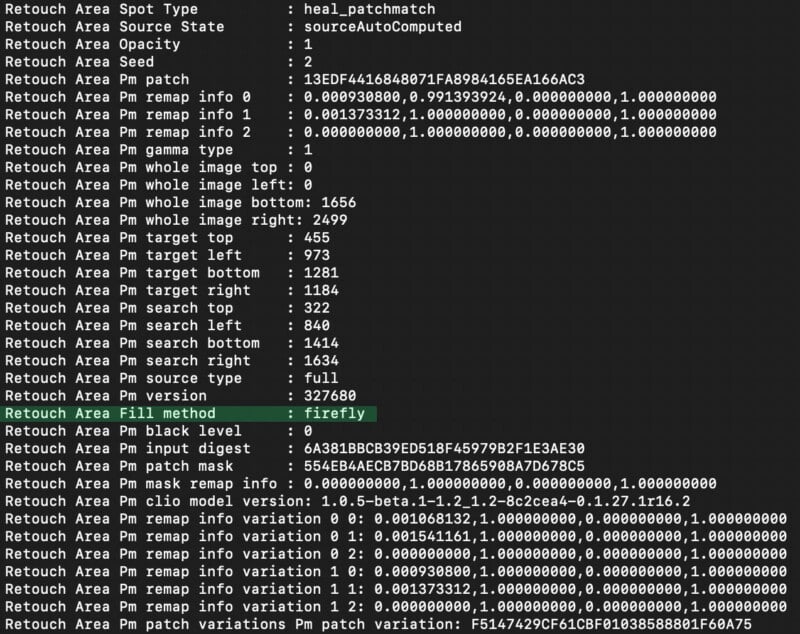
A screenshot of a code or data file with various parameters listed. It includes terms like "Retouch Area," "Source State," "Opacity," and numerous numerical values and codes. One line highlights "Fill method" as "firefly." The text is displayed in a monospaced font.

On the other hand, an image edited using Generative Remove, another AI-powered tool, doesn’t.


Generative Remove가 C2PA 플래그를 트리거하지 않는 이유가 무엇이든 간에, 적어도 현재까지는 그렇지 않으며 이러한 불일치는 메타의 "Made with AI" 라벨 문제의 일부를 나타냅니다. 이는 매우 대충 실행되었으며 AI 생성 및 편집된 사진으로 인해 발생할 수 있는 잠재적인 해를 줄이는 데 아무런 실질적인 역할을 하지 않습니다.
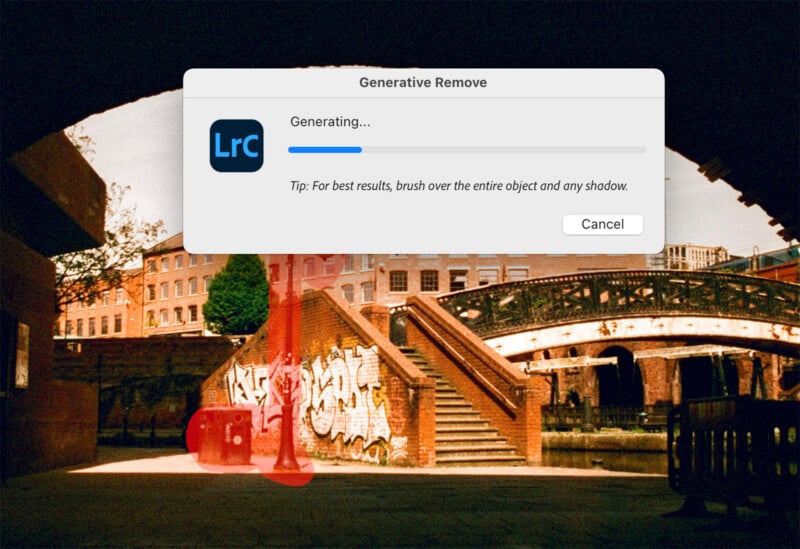
A photo-editing software interface shows an overlay with a progress bar and the words "Generating..." indicating the removal of an object. The background image depicts a graffiti-covered wall, a bridge, and an urban scene with buildings.

Firefly or not, Generative Remove doesn’t currently trigger any action by Instagram.

기타 포토샵 도구

PetaPixel의 테스트에서, 다음 도구들도 인스타그램의 AI 라벨을 트리거하지 않았습니다: Neural Filters, Sky Replacement, AI 기반 노이즈 저감, 그리고 Super Resolution. 이러한 기능들은 Adobe Sensei AI 기술을 사용하지만 Firefly는 사용하지 않습니다. 그래도 메타의 태그는 "Made with Firefly"가 아니라 "Made with AI"입니다.

AI 생성 이미지는 인스타그램에서 ‘Made With AI’ 라벨을 트리거하나요?

DALL-E

OpenAI의 DALL-E 이미지 생성기는 인기가 있으며, 메타의 "Made with AI" 라벨을 트리거할 것입니다.
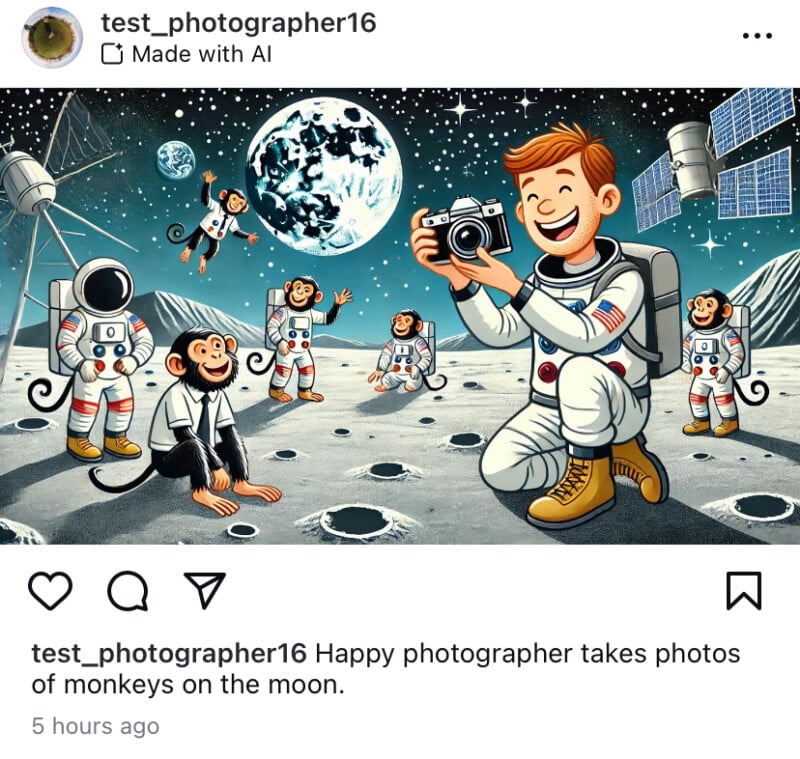
Illustrated image of a smiling astronaut photographer taking photos of monkeys on the moon. The background features space elements like the Earth, stars, and satellites. The monkeys are also wearing space suits and are playfully posing.

AI images generated on DALL-E will trigger the ‘Made with AI’ label.

Adobe Firefly

일부 Firefly 기반 기능이 메타의 "Made with AI" 태그가 인스타그램에서 나타나는 결과를 초래하는 것을 고려할 때, Firefly를 사용하여 생성한 이미지는 AI 콘텐츠 경고가 함께 표시되는 것은 놀라운 일이 아닙니다.
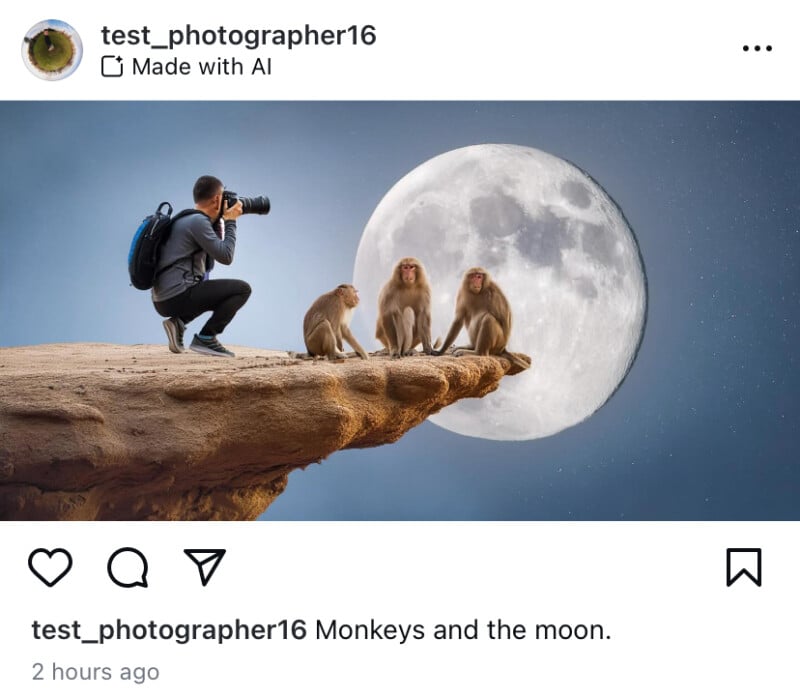
A photographer crouches on a rocky ledge, capturing images of three monkeys sitting on an adjacent narrow cliff edge, with a large full moon in the background. The scene is surreal and otherworldly.

Unsurprisingly, AI images generated on Adobe Firefly will trigger Instagram’s AI flag.

Stable Diffusion

그러나 모든 AI 이미지 생성기가 "Made with AI" 태그를 발생시키는 것은 아닙니다. 사용자는 Stable Diffusion에서 이미지를 생성하고 플랫폼에서 내보내 인스타그램에 업로드해도 AI 라벨에 대해 걱정할 필요가 없습니다.
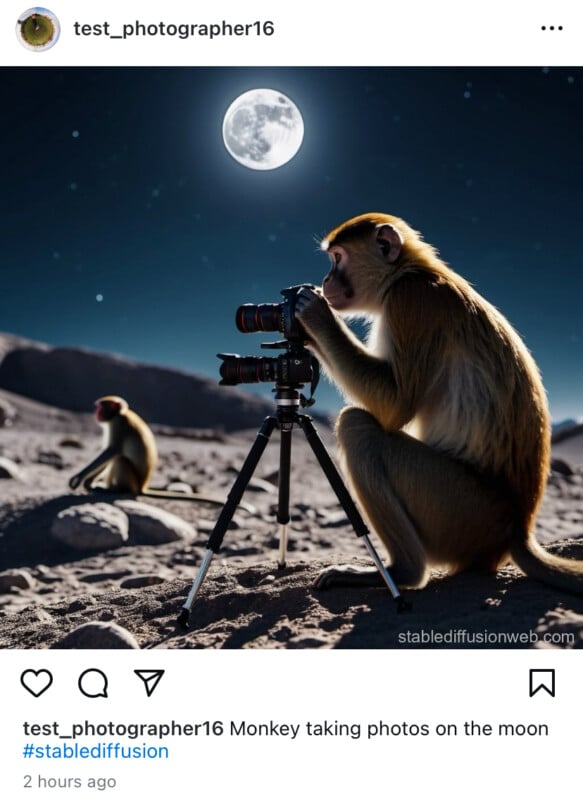
A monkey is perched on the moon, using a camera on a tripod to take photos under a bright full moon. Another monkey is visible in the background sitting on the rocky lunar surface, with Earth faintly visible in the distance.

Remarkably, Stable Diffusion (the online version at least) doesn’t trigger Instagram’s AI label.

메타의 AI 이미지 생성기

인스타그램의 모회사인 메타는 자체 AI 이미지 생성기를 가지고 있으며, 이를 사용하여 메타가 자체 AI 이미지를 태그할지 확인해 보았습니다.
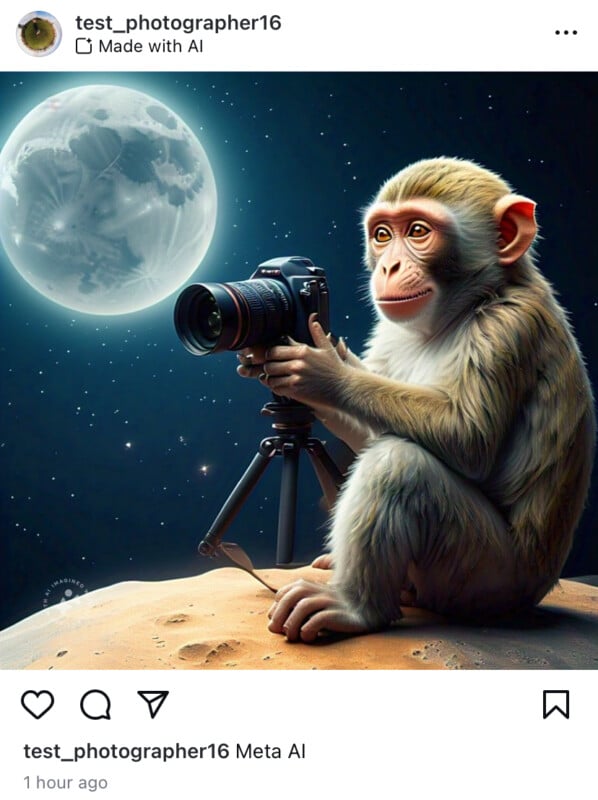
A monkey is holding a camera on a tripod, aiming it at a large full moon in a night sky. The moon appears detailed and bright, and the monkey is sitting on a rocky surface. The Instagram post caption reads, "Meta AI.

Downloading the image from Meta’s AI image generator website and uploading it to Instagram will trigger the warning.


이 플래그가 생기지만, 단순한 스크린샷으로 라벨을 우회할 수 있습니다. 메타의 AI 워터마크가 이미지에 여전히 표시됨에도 불구하고 말입니다.
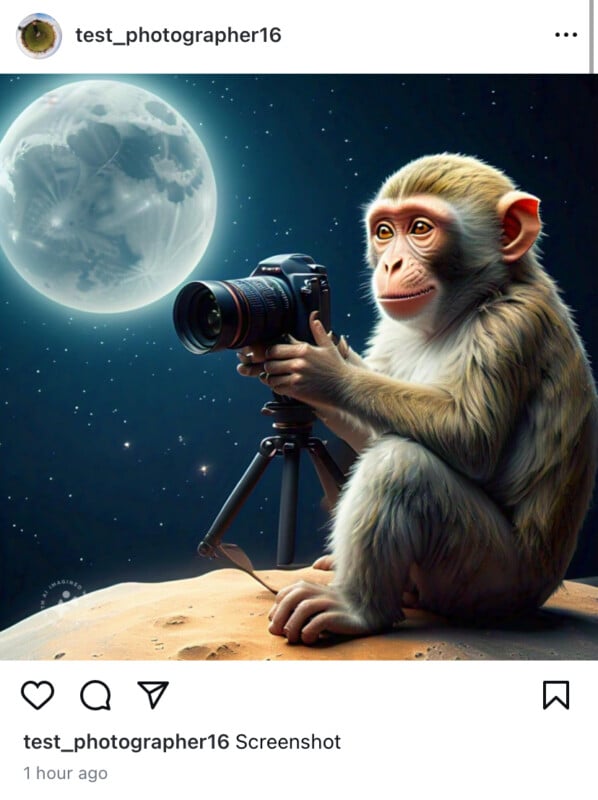
A monkey sits on a rocky surface under a starry night sky, using a camera mounted on a tripod. The full moon is prominently visible in the background. The image is a screenshot from an Instagram post by the user "test_photographer16".

A screenshot version bypasses the label despite Meta’s AI sticker visible on the image.

인스타그램의 ‘Made with AI’ 라벨은 실제로 무엇을 달성합니까?

메타의 AI 감지 시스템을 우회하는 것은 얼마나 쉬운지 고려할 때 (사진을 편집하는 방법을 알고 있다면 메타의 현재 검사를 우회할 수 있습니다), "무슨 의미가 있는가?"라는 질문이 떠오릅니다. 지금까지, 인스타그램의 "Made with AI" 라벨은 실제로 AI가 아닌 몇몇 진짜 사진을 잘못 라벨링하여 평판이 좋은 사진작가들의 평판을 손상시켰고, 실제로 AI로 편집된 사진을 완전히 놓쳤다는 점에서 첨단 기술을 위장하지 않았습니다.


어떤 형태로든 콘텐츠 진위성을 검증하는 것이 필요하다는 점은 분명하지만, 메타의 접근 방식은 엉성합니다. 모든 징후는 간단한 메타데이터 스크레이프를 가리키며 이는 속이기 쉽고, 사용자가 이미지를 생성하는 소프트웨어 및 도구에 따라 신뢰할 수 없습니다.


C2PA 기반 접근법은 많은 의미가 있지만, 메타는 모든 것을 거꾸로 하고 있습니다. 생성 AI를 사용해 편집된 증거를 찾는 대신, 인스타그램은 편집되지 않았다는 증거를 찾아 이를 진본임을 검증하는 라벨을 부여할 수 있습니다. 이 유형의 기술은 이미 존재하고 있으며, 콘텐츠 진위성을 증명하는 이니셔티브는 이를 더 쉽게 접근할 수 있는 방법을 개발하기 위해 열심히 노력하고 있습니다. 메타가 협조하기를 원하기만 한다면 말입니다.


하지만, 사진작가들은 자신의 정당한 이미지가 잘못 라벨링될까 걱정해야 합니다. AI 시대에 온라인에서 보는 것을 믿기가 어렵다는 점은 분명하며, "Made with AI" 라벨이 인스타그램에 나타나기 훨씬 전부터 완전히 정당한 이미지도 부당한 의심을 받아왔습니다.


이는 심도 있는 해결책이 필요한 큰 문제이며, 현재 인스타그램의 "Made with AI" 라벨은 분명히 해답이 아닙니다.

끊임없이 변화하는 목표

우리는 "Made with AI" 라벨을 트리거하는 모든 사진 편집 도구를 찾으려 노력했지만, 더 많은 도구가 있을 수 있으며 발견할 때마다 이 기사를 업데이트할 것입니다. 또한 Meta의 AI 감지 기술이 초보적인 수준임에도 불구하고 지속적인 변화를 겪을 가능성이 큽니다. 따라서 현재 "Made with AI" 라벨을 트리거하지 않는 일부 기능이 앞으로는 트리거할 수 있습니다.</

소식줍는다람쥐님

프로필